
The idea of smart glasses has simmered in the background of consumer tech for years, a promising but not-quite-ready concept. Now, that's changing. With the recent announcement of the Meta Ray-Ban Display glasses, a device that integrates a true augmented reality display into a mainstream fashion accessory, the future of wearable technology has taken a significant leap forward. This isn't just another gadget; it's a signal for developers and UX designers everywhere.
The launch of these display-enabled glasses, complete with AI capabilities and advanced gesture controls, invites us to rethink how users will interact with digital content. It’s time to consider what UX patterns will emerge, which platforms to target, and how to prepare your applications for a world where AR is no longer confined to a smartphone screen. For those in the app development and design space, the question is no longer if smart glasses will become mainstream, but how to be ready when they do.
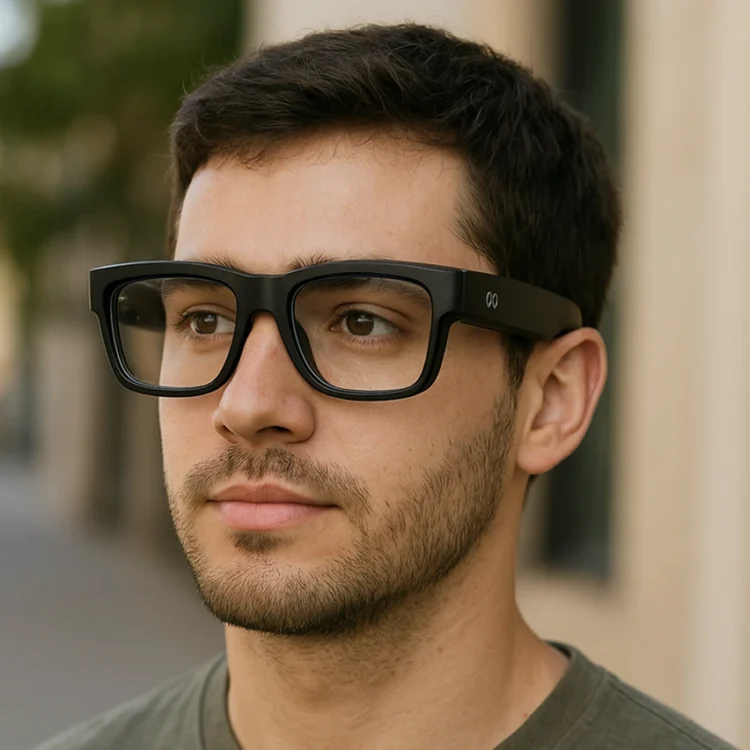
What Meta’s New Glasses Offer
To understand the impact on app development, UX and UI design, we first need to look at the hardware itself. The Meta Ray-Ban Display glasses are a major step beyond previous audio-only or camera-equipped models. They look like a classic pair of glasses but are packed full of powerful technology.
Key features include:
- Small Display: A small colour display is projected onto the right lens. This screen can show text, images, and even live video calls, appearing to float just below the wearer’s line of sight. It’s designed to be visible to the user but not to others, providing a private interface for information.
- AI Integration: Meta’s AI chatbot is a core component. Users can ask questions and receive visual and text-based answers directly in their field of view. The glasses can use their camera to identify landmarks, translate conversations in real-time, or display step-by-step recipes.
- The Neural Band: This is arguably the most revolutionary part of the system. The accompanying wristband detects electrical impulses in the forearm, allowing users to control the interface with subtle hand gestures. Pinches, swipes, and taps translate into on-screen actions, creating a seamless and screenless control method.
- Platform Integration: The glasses connect via Bluetooth to a smartphone (both Android and iPhone) and integrate with popular apps like WhatsApp, Messenger, and Instagram. This existing ecosystem provides a ready-made foundation for communication and content sharing.
The Paradigm Shift for UX Design

The introduction of a heads-up display and gesture-based controls fundamentally changes the rules of user experience design. The screen is no longer in your hand; it’s in your line of sight. This requires a complete rethinking of how we present information and handle user input.
From Screen-First to Glanceable UX
On a smartphone, users can dedicate their full attention to a large, high-resolution screen. With smart glasses, the interaction model is different. The display is smaller, and the user is often engaged in real-world activities. This demands a “glanceable” UX.
- Prioritise Brevity: Information must be delivered in small, easily digestible chunks. Think short text notifications, simple icons, and key data points, not long paragraphs of text.
- Context is King: The most valuable AR experiences will be those that understand the user’s context. A navigation app should only show the next turn, not the entire map. A recipe app should show the current step, not the full ingredient list.
- Minimise Distractions: The primary goal is to augment reality, not obstruct it. Notifications and UI elements must be non-intrusive, appearing when needed and disappearing when they’re not. Designers will need to create a hierarchy of information, presenting only the most critical data directly.
Designing for a New Input Method
The Meta Neural Band introduces a sophisticated form of gesture control. This moves interaction away from tapping a glass screen to performing subtle hand movements.
- Intuitive Gestures: UX designers must map actions to gestures that feel natural and require minimal cognitive load. A pinch could select an item, a swipe could dismiss a notification, and a rotation could scroll through a list. The challenge is to create a consistent and intuitive gesture language across different apps.
- Feedback is Crucial: Without the tactile feedback of a screen, visual and audio cues become essential. When a user performs a gesture, the display should provide immediate confirmation that the input was received and processed correctly.
- Voice as a Primary Input: While the Neural Band is innovative, voice control will remain a central pillar of the smart glasses experience. Designing effective voice user interfaces (VUIs) that work in tandem with gestures and the HUD will be critical for complex tasks.
What This Means for App Developers
For developers, the rise of display-enabled smart glasses introduces new opportunities but also new challenges. These devices will not only extend how users interact with digital content but also demand fresh approaches to software development. Preparing for this future requires developers to think strategically about both software architecture and platform selection, ensuring that applications can adapt to the unique demands of augmented reality.
Simply importing a mobile app into smart glasses won’t be enough. Instead, the entire user experience must be reimagined for an AR-first context. This approach starts with adopting a modular design, decoupling the app’s front-end from its core logic, allowing developers to design a new “head-up” interface tailored for smart glasses while still leveraging existing backend systems. Equally important is placing emphasis on APIs and services, since the real value of an app in this space will often come from its ability to deliver targeted data or functionality quickly and seamlessly.
Developers should also take advantage of AI and contextual data to unlock the full potential of smart glasses. By processing inputs from sensors like the camera, microphone, and GPS, apps can understand the user’s environment and deliver more relevant, timely information. For instance, while a mobile weather app might provide a detailed forecast, its smart glass counterpart could simply display the current temperature in the user’s field of view. Apps that integrate this level of intelligence and context-awareness will stand out as smart glasses become more widely adopted.
How to Prepare for the Wearable AR Future
As wearable AR technology moves closer to mainstream adoption, businesses should start planning how their digital products will adapt to this new environment. Red C can help you prepare by building an AR application from the ground up or by transforming your existing mobile or web app into an AR-ready experience. With expertise in designing intuitive, user-friendly interfaces and leveraging the latest AR frameworks, we ensure your application is both future-proof and impactful.
Ready to explore what AR can do for your business? Contact us today to start the conversation.